

01Emailed documents
Documents read in the chat, the moment they arrive.
- Name, date of birth and address matched; anything missing asked for
- A video-KYC slot booked in the same conversation
Onboarding in hours

CommercialAutoKYC · onboarding & re-KYC for banks and NBFCs
For banks, NBFCs and insurers. Customers send documents on WhatsApp or the web; AutoKYC reads them, checks them against your policy, asks for what is missing and hands only the exceptions to a person — with maker-checker before anything touches your core.
WhySound familiar?
From heads of operations, onboarding and compliance at banks, NBFCs and insurers. Composite quotes from discovery calls — the problems are real; the names are left out.

“Half our applicants drop off waiting for documents.”
Documents arrive by email in pieces; each follow-up adds a day and loses a customer.
Head of onboardingMulti-day TAT, high drop-off
“Every application goes to a person, even the clean ones.”
Checks are manual, so the team spends its day on files that needed nobody.
Operations managerPeople on the wrong files
“Re-KYC season means frozen accounts and branch queues.”
Customers are asked to visit a branch to confirm what has not changed.
Compliance headFrozen accounts and complaints
HowWhat changes with AutoKYC
Product screens with illustrative data. In a working session we map one of your journeys.
01Emailed documents
Onboarding in hours
02Every file manual
People on the files that need them

03Branch re-KYC
No frozen accounts

FieldAutoKYC in the field
The workplace it runs in, the person who uses it on a phone, the team at the desk and the detail it reads.



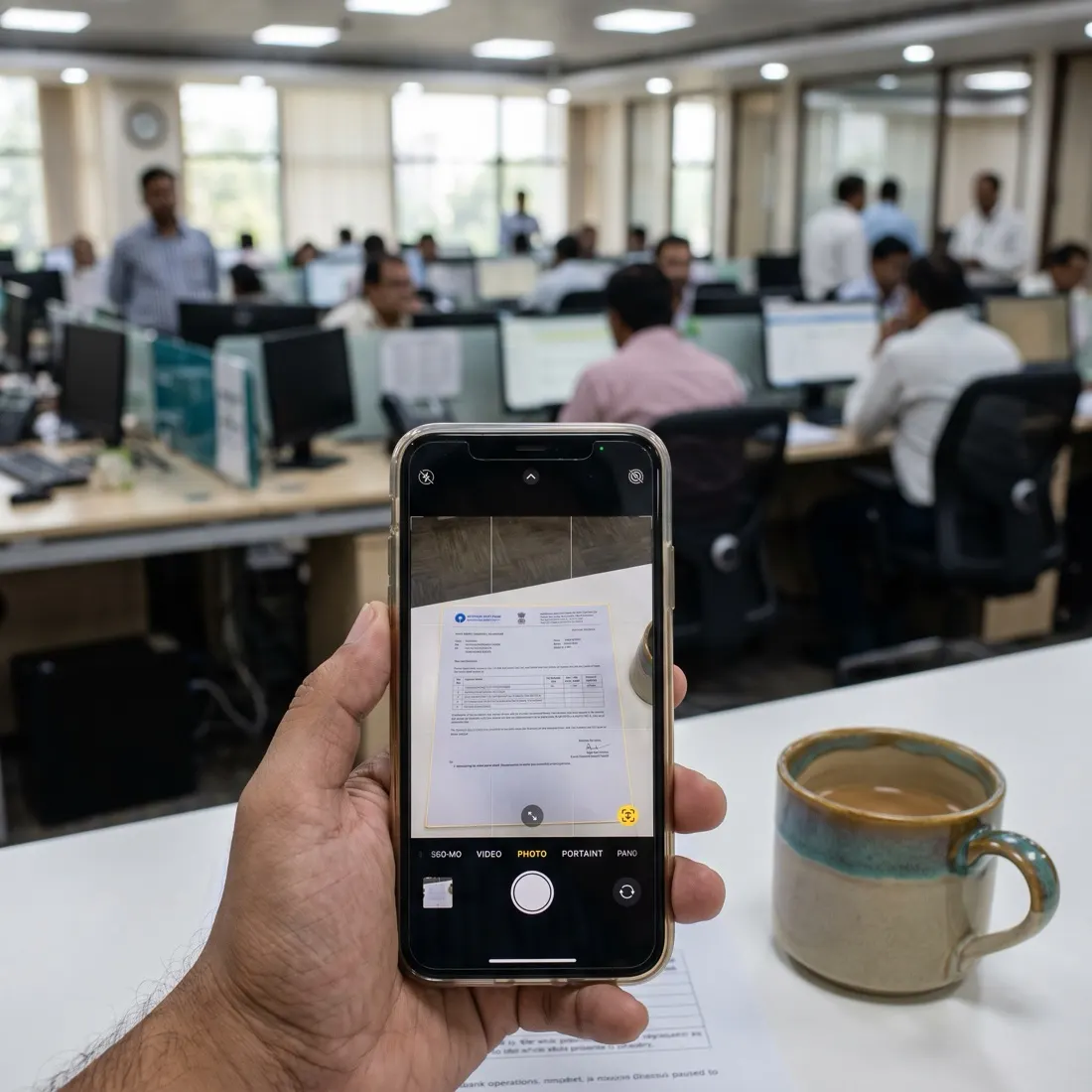
Photographs are illustrative — real customer sites are not shown.
01The screens
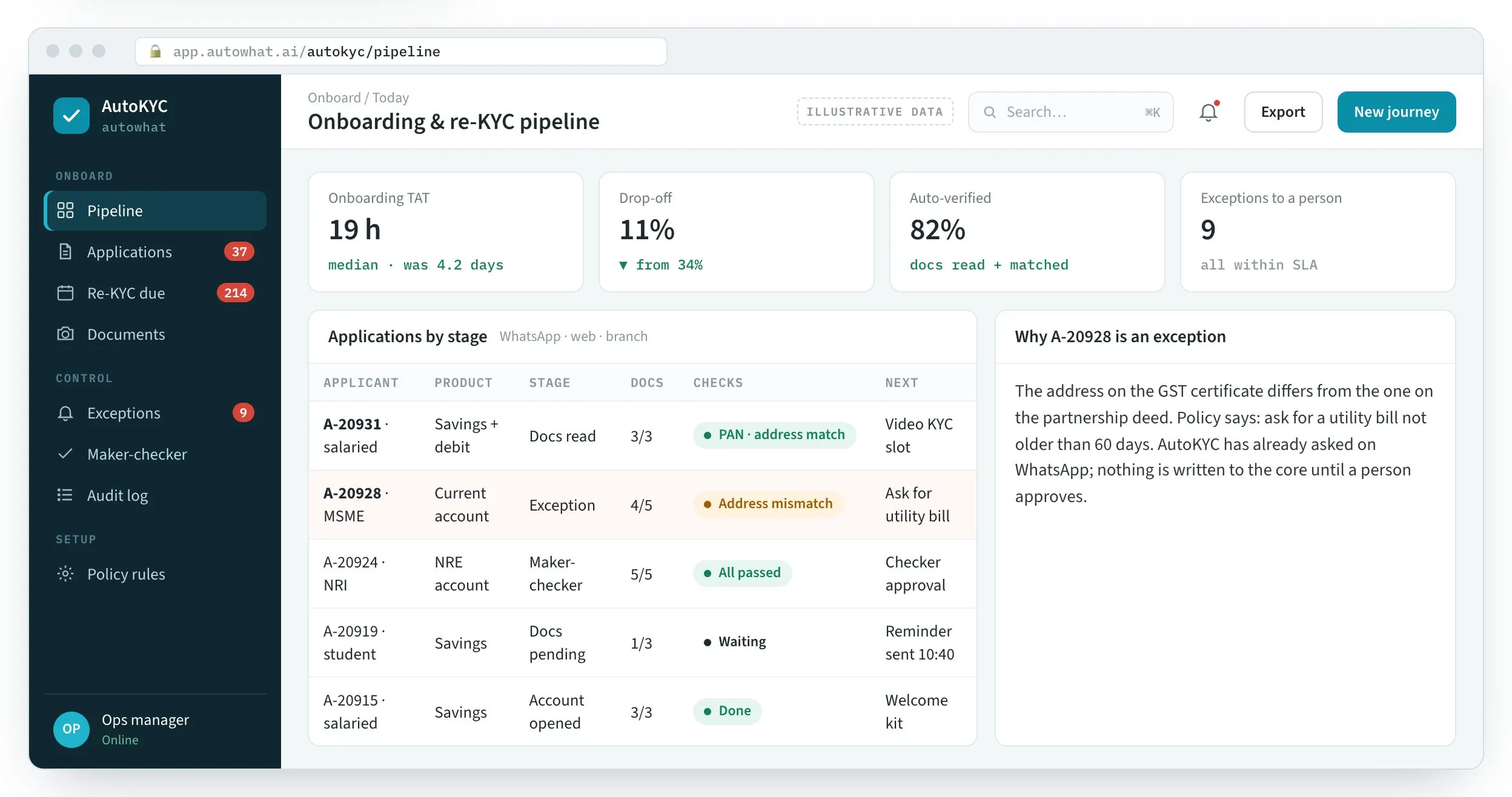
The pipeline, the re-KYC campaign and the customer’s side on WhatsApp.
Every application by stage, with documents read and checks run — exceptions explained.
Product screens with illustrative data — every name, place and figure is a placeholder.
02Before and after
Onboarding and re-KYC still run on emailed documents and phone calls. That is where the days and the drop-off come from.
| Area | Today | With AutoKYC |
|---|---|---|
| Documents | Emailed, re-keyed | Read on arrival, matched to the application |
| Checks | Manual, uneven | Your policy, applied the same way every time |
| Exceptions | Everything goes to a person | Only exceptions, with the reason |
| Re-KYC | Branch visits, frozen accounts | Completed on WhatsApp by risk segment |
| Audit | Spread across systems | One log for every read, decision and write |
03Above your core
AutoKYC sits above your systems of record. It reads by default and writes only through the APIs you open.
WhatsApp · web · branch
The customer starts where they already are — no new app.
Document AI
ID, address and income documents structured on arrival.
Registries
PAN, CKYC and account-aggregator checks where you allow them.
Your policy
Rules and bands you write; outside the band, a person decides.
Maker-checker
Below threshold, a second person approves before any write.
Your core
Account opened through the API you open — nothing else.
Re-KYC
Periodic re-KYC by risk segment, on WhatsApp.
Audit log
Every read, decision and write in one log.
04The platform
Start with one product journey; the same spine runs every other.
05How we deliver
You pick the metric; we build on your stack and stay after go-live.
FAQQuestions we get about AutoKYC
AutoKYC is an Autowhat AI product for heads of onboarding, operations and compliance in BFSI. Short, factual answers for buyers, procurement and the assistants people ask first.
In short. AutoKYC is an Autowhat AI product for heads of onboarding, operations and compliance in BFSI. It is built for heads of onboarding, operations and compliance in BFSI. It exists to remove the problems those teams describe in almost every first conversation: multi-day onboarding and drop-off while documents wait in email; every file reviewed by hand, even the clean ones; and re-KYC season means branch queues and frozen accounts. With AutoKYC, teams get documents read in the chat; anything missing asked for, your policy applied the same way; only exceptions to a person, and re-KYC by risk segment on WhatsApp. It connects to WhatsApp Business API, CKYC / account aggregator, Your core via API and Maker-checker, is used by Customers · ops · compliance, and runs on whatsapp + web. Like every Autowhat AI product, AutoKYC goes live on one site, lane or process first, usually within weeks, on managed cloud, in your own VPC or on-premises, and shares one operational record with the other products, so the second deployment reuses the data and integrations of the first.
Heads of onboarding, operations and compliance in BFSI. Onboarding and periodic re-KYC for banks, NBFCs and insurers.
multi-day onboarding and drop-off while documents wait in email; every file reviewed by hand, even the clean ones; re-KYC season means branch queues and frozen accounts.
documents read in the chat; anything missing asked for; your policy applied the same way; only exceptions to a person; re-KYC by risk segment on WhatsApp.
It connects to WhatsApp Business API, CKYC / account aggregator, Your core via API, Maker-checker. Users: Customers · ops · compliance. Channel: WhatsApp + web.
With a 30-minute working session on your own data — an engineer from the relevant sector, not a sales queue. The first wave is scoped in that call; most products go live on one site, lane or process within weeks and then scale.
On managed cloud, in your own VPC (AWS, Azure or GCP) or on-premises, with your keys. SOC 2 Type II and ISO 27001 controls, India data residency when required, and local or open-weight models when policy demands it. The data stays yours.
06Working session
Thirty minutes: your onboarding steps mapped, the documents that slow it named, and a first scope.