

01No designer
On-brand posts from your own catalogue, in minutes.
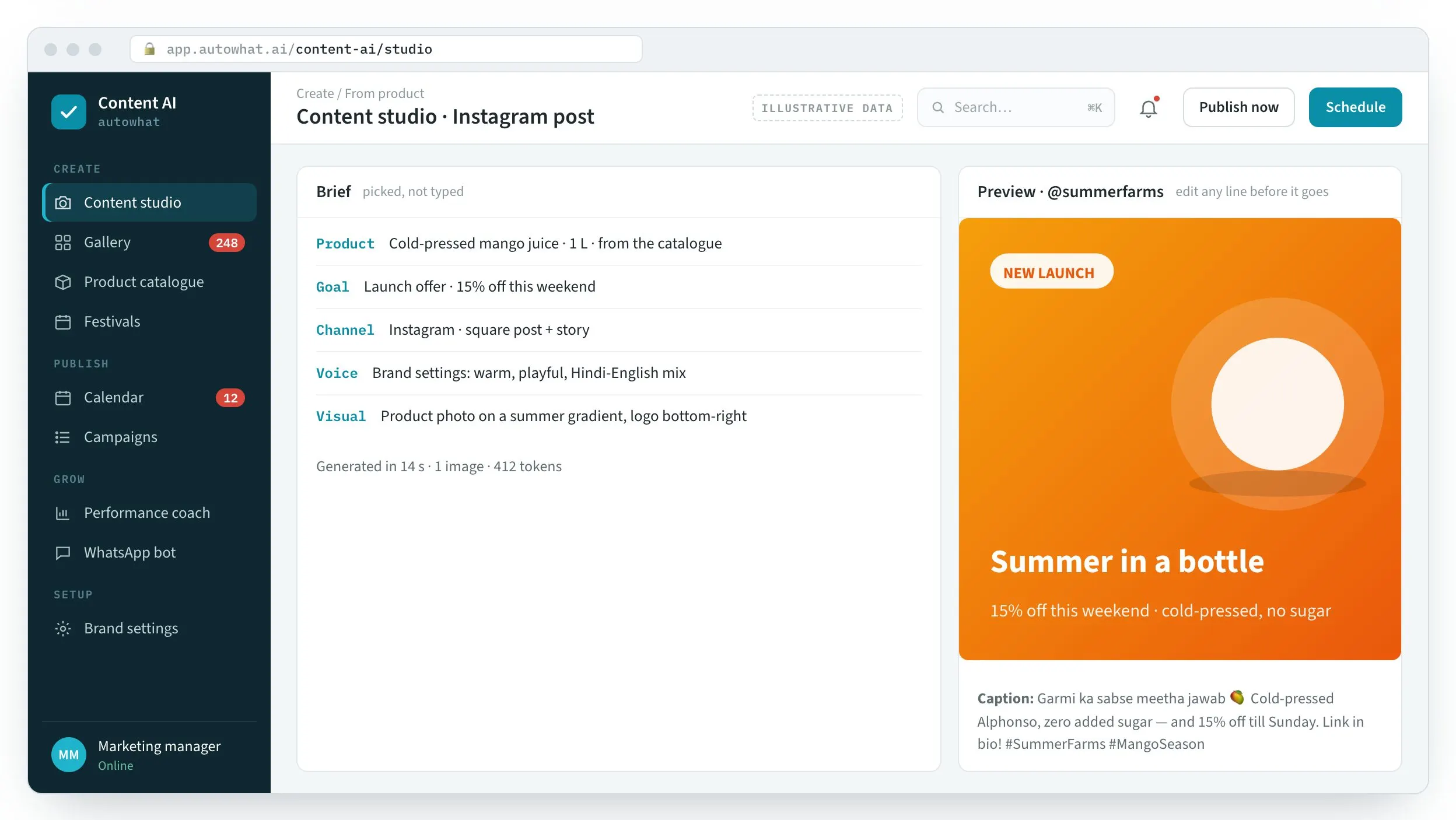
- Pick a product, a goal and a channel; image and caption are generated together
- Edit any line or image before it goes
A full feed without a creative team

CommercialContent AI · brand content studio
For brands without a creative team. Your products, logo and voice go in once; on-brand posts, carousels, festival creatives and videos come out, scheduled to every channel.
WhySound familiar?
From founders, marketing managers and social media executives at D2C and retail brands. Composite quotes from discovery calls — the problems are real; the names are left out.

“We post when someone has time — so, rarely.”
Without a designer, every creative is a project, and the feed goes quiet for weeks.
FounderAn empty feed
“The AI tools write like nobody we know.”
Generic text needs so much editing that it is faster to write it yourself.
Marketing managerOff-brand copy
“We remembered Diwali on Diwali.”
Festival and launch creatives get made at the last minute, or not at all.
Social media executiveMissed moments
HowWhat changes with Content AI
Product screens with illustrative data. In a content session we generate a month of posts from your own catalogue.
01No designer
A full feed without a creative team
02Generic AI copy
Copy that sounds like you

03Last-minute festivals
Every moment, on time

FieldContent AI in the field
The workplace it runs in, the person who uses it on a phone, the team at the desk and the detail it reads.



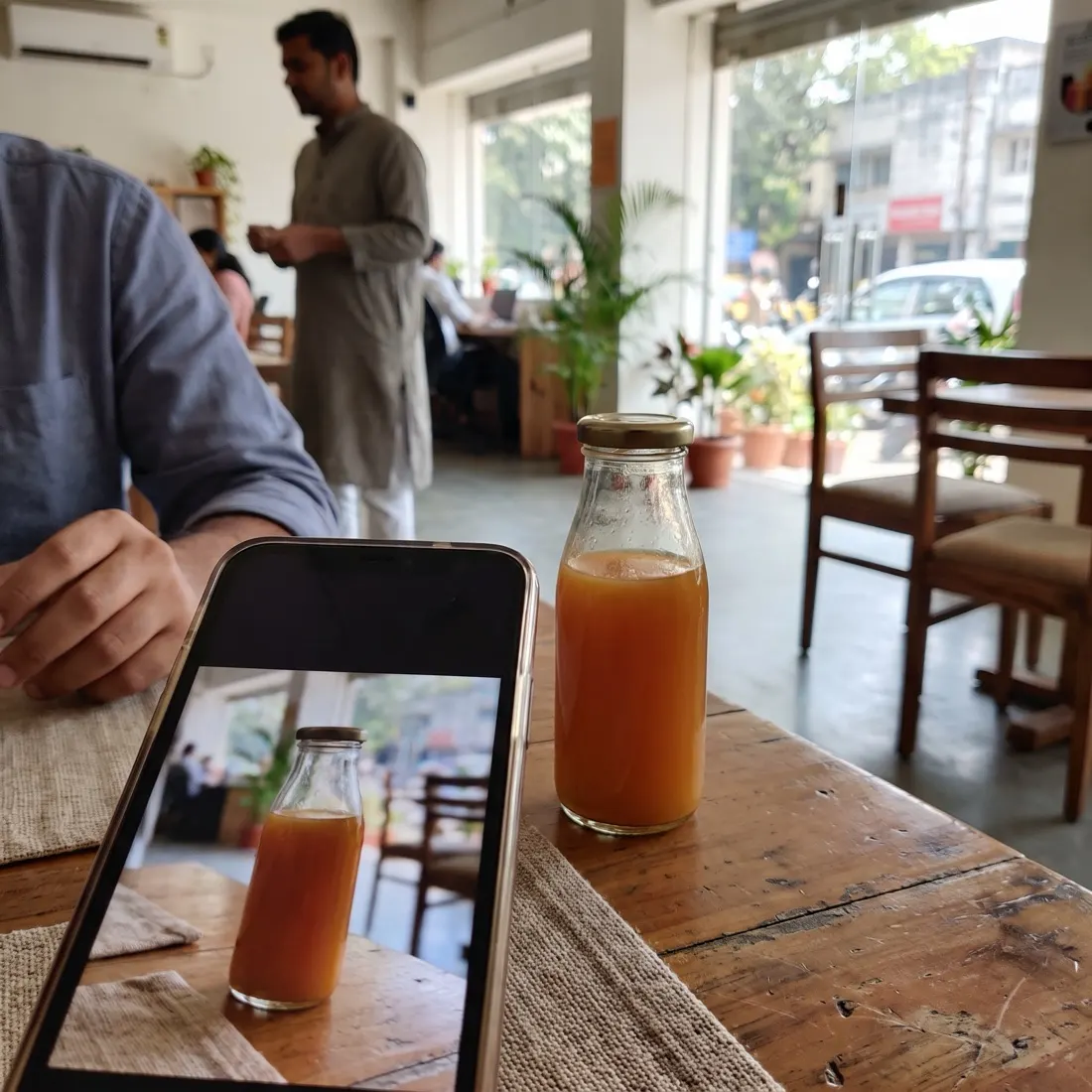
Photographs are illustrative — real customer sites are not shown.
01The screens
The studio, the calendar, the gallery, the catalogue, the WhatsApp assistant and the performance coach.
A brief picked from the catalogue becomes an on-brand post and caption — edit any line before it goes.
Product screens with illustrative data — every name, place and figure is a placeholder.
02Before and after
Posts get made when someone has time — which means rarely, off-brand, and never for the festival that mattered.
| Area | Today | With Content AI |
|---|---|---|
| Creatives | A designer, or nobody | On-brand posts from your catalogue in minutes |
| Copy | Generic AI text, heavily edited | Your voice and language, from brand settings |
| Festivals | Remembered the day before | Drafted weeks ahead, queued on the calendar |
| Publishing | One app per channel | One calendar, auto-published everywhere |
| Products | Retyped for every post | Synced from Amazon with prices and stock |
| What works | Guesswork | A coach that reads the results and plans next month |
03One studio
Set up once; every creative after that starts from your products, your voice and your calendar.
Brand settings
Logo, colours, voice, languages and audiences — captured once.
Catalogue
Upload or sync from Amazon Seller Central with photos and prices.
Studio
Pick a product, a goal and a channel — no prompt-writing.
Gemini
Images, carousels, festival creatives, videos, recipes and blogs, with captions.
Human in the loop
Change any line or image before it goes.
Calendar
Plan the month; AI fills gaps and festivals.
Channels
Instagram, Facebook, X and WhatsApp — automatically, on time.
Performance coach
Reach, saves and engagement turned into next month’s plan.
04The platform
Every brand runs in its own isolated workspace, with usage-metered billing.
05How we deliver
Set up together, then your team runs it — or we run it for you.
FAQQuestions we get about Content AI
Content AI is an Autowhat AI product for founders and marketing teams at D2C, retail and food brands without a creative team. Short, factual answers for buyers, procurement and the assistants people ask first.
In short. Content AI is an Autowhat AI product for founders and marketing teams at D2C, retail and food brands without a creative team. It is built for founders and marketing teams at D2C, retail and food brands without a creative team. It exists to remove the problems those teams describe in almost every first conversation: a quiet feed because every creative is a project; generic AI copy that needs rewriting; and festival and launch posts made at the last minute. With Content AI, teams get on-brand creatives and captions from the product catalogue in minutes, a calendar that fills gaps, drafts festivals and auto-publishes, and amazon catalogue sync, a WhatsApp content assistant and a performance coach. It connects to Google Gemini, Instagram · Facebook · X, WhatsApp Cloud API and Amazon SP-API, is used by Founders · marketing · social media, and runs on web + whatsapp. Like every Autowhat AI product, Content AI goes live on one site, lane or process first, usually within weeks, on managed cloud, in your own VPC or on-premises, and shares one operational record with the other products, so the second deployment reuses the data and integrations of the first.
Founders and marketing teams at D2C, retail and food brands without a creative team. Your products, logo and voice go in once; on-brand posts, carousels, festival creatives, videos, recipes and blogs come out — scheduled and auto-published to Instagram, Facebook, X and WhatsApp, with a performance coach that plans next month from the results.
a quiet feed because every creative is a project; generic AI copy that needs rewriting; festival and launch posts made at the last minute.
on-brand creatives and captions from the product catalogue in minutes; a calendar that fills gaps, drafts festivals and auto-publishes; amazon catalogue sync, a WhatsApp content assistant and a performance coach.
It connects to Google Gemini, Instagram · Facebook · X, WhatsApp Cloud API, Amazon SP-API. Users: Founders · marketing · social media. Channel: Web + WhatsApp.
With a 30-minute working session on your own data — an engineer from the relevant sector, not a sales queue. The first wave is scoped in that call; most products go live on one site, lane or process within weeks and then scale.
On managed cloud, in your own VPC (AWS, Azure or GCP) or on-premises, with your keys. SOC 2 Type II and ISO 27001 controls, India data residency when required, and local or open-weight models when policy demands it. The data stays yours.
06Content session
A working session: your brand set up, your catalogue connected and a month of content generated with you.