

Guide · Control room
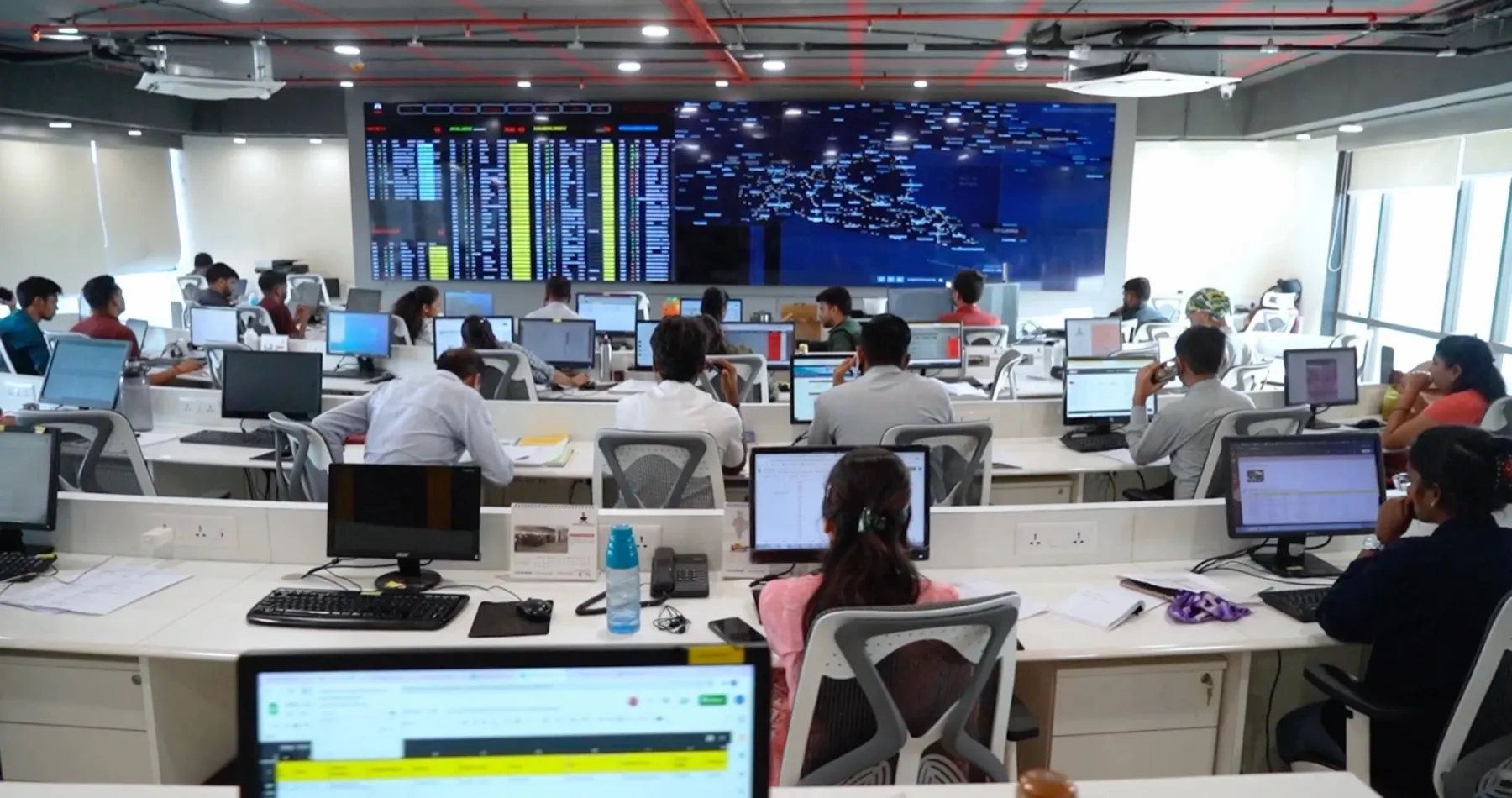
A fleet control room and video wall: what to put on each screen.
Most transport video walls show a map full of dots and nothing anyone acts on. A good wall shows exceptions, owners and the next action, pane by pane.
Most transport video walls show a map full of dots and nothing anyone acts on. A good wall shows exceptions, owners and the next action, pane by pane.
A control room is worth building when a transporter has more trucks on the road than one person can track by phone. The video wall is the visible part; the value is in what each pane makes someone do. Start from decisions, not from maps.
| Pane | What it shows | Who acts |
|---|---|---|
| Live map | Trucks on the road, coloured by status | Operations |
| Trip delays | Trips late against ETA, with the reason | Operations, customer desk |
| Gate | Bays loading and unloading, waiting time | Branch |
| E-way bills | Bills expiring in the next hours, Part-B pending | Operations |
| Detention | Trucks at risk of detention charges | Operations, management |
| ePOD | PODs received, matched and pending | Accounts |
| Driver desk | Open driver tickets, advances, SOS | Fleet desk |
| Tyres | Tyres below tread or due for rotation | Maintenance |
| Stores | Parts to reorder | Maintenance |
| Challans | New traffic challans, linked to the driver at that time | Fleet desk |
| Lane P&L | Margin by lane after the empty return | Management |
| CFO cockpit | 13-week cash plan, receivables | Owner, finance |
Nobody watches a wall at 2 AM. The same rules that light up a pane should send a WhatsApp message to the right role group, deduplicated and grouped into digests, so the wall is for shared awareness and the phone is for action.
SCM for Transporter ships more than 45 role-wise screens, including a command center and a 12-pane video wall with exactly these panes: live map, delays, gate, e-way bills, detention, ePOD, driver desk, tyres, stores, challans, lane P&L and the CFO cockpit. Panes without a connected data source show a “Sample data” label instead of pretending. The same rules send WhatsApp alerts to the right role. Related: AI agents for transport companies and lane profitability.
A room, or a set of screens, where a transport company watches its trucks, documents and money in one place and acts on exceptions: delays, expiring e-way bills, detention, pending PODs and dues.
Start with the decisions. Twelve panes cover operations, documents, maintenance and money for most transporters; fewer, larger panes are better than many small ones.
No. The same role-wise views work on a laptop and a phone. A wall helps when a team works the same shift in one room.
See it on your own data. SCM for Transporter runs the bilty, e-way bill, trips, billing and accounts in one system. Book a 30-minute working session with an engineer.