01No designer
On-brand posts from your own catalogue, in minutes.
- Pick a product, a goal and a channel; image and caption are generated together
- Edit any line or image before it goes
A full feed without a creative team

CommercialContent AI · brand content studio
Autowhat Content AI is an AI social media content generator for D2C, retail and food brands without a creative team. Your products, logo and voice go in once; on-brand posts, carousels, festival creatives and videos come out, scheduled to every channel.
WhySound familiar?
From founders, marketing managers and social media executives at D2C and retail brands. Composite quotes from discovery calls — the problems are real; the names are left out.

“We post when someone has time — so, rarely.”
Without a designer, every creative is a project, and the feed goes quiet for weeks.
FounderAn empty feed
“The AI tools write like nobody we know.”
Generic text needs so much editing that it is faster to write it yourself.
Marketing managerOff-brand copy
“We remembered Diwali on Diwali.”
Festival and launch creatives get made at the last minute, or not at all.
Social media executiveMissed moments
HowWhat changes with Content AI
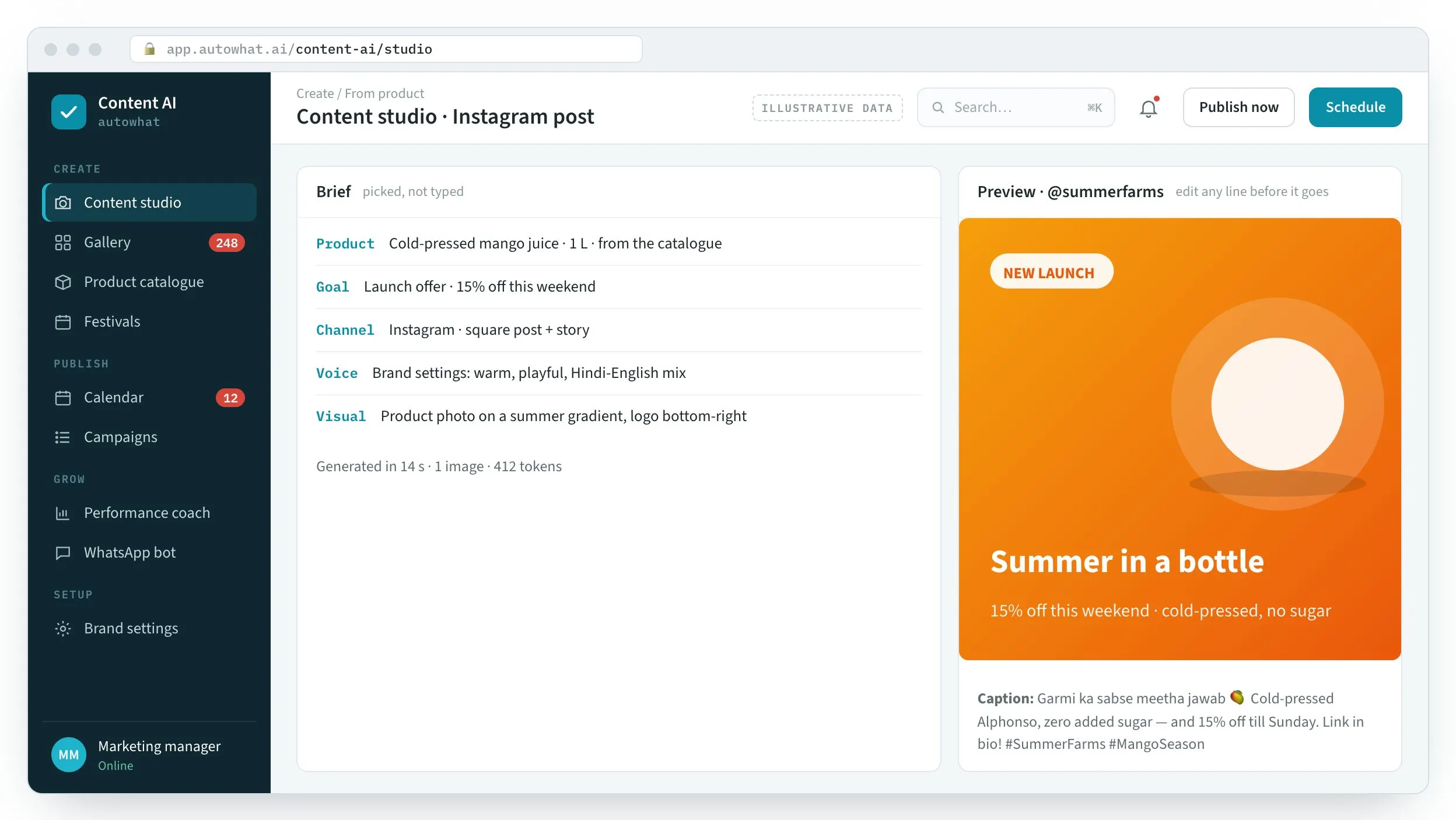
Product screens with illustrative data. In a content session we generate a month of posts from your own catalogue.
01No designer
A full feed without a creative team
02Generic AI copy
Copy that sounds like you

03Last-minute festivals
Every moment, on time

FieldContent AI in the field
The workplace it runs in, the person who uses it on a phone, the team at the desk and the detail it reads.



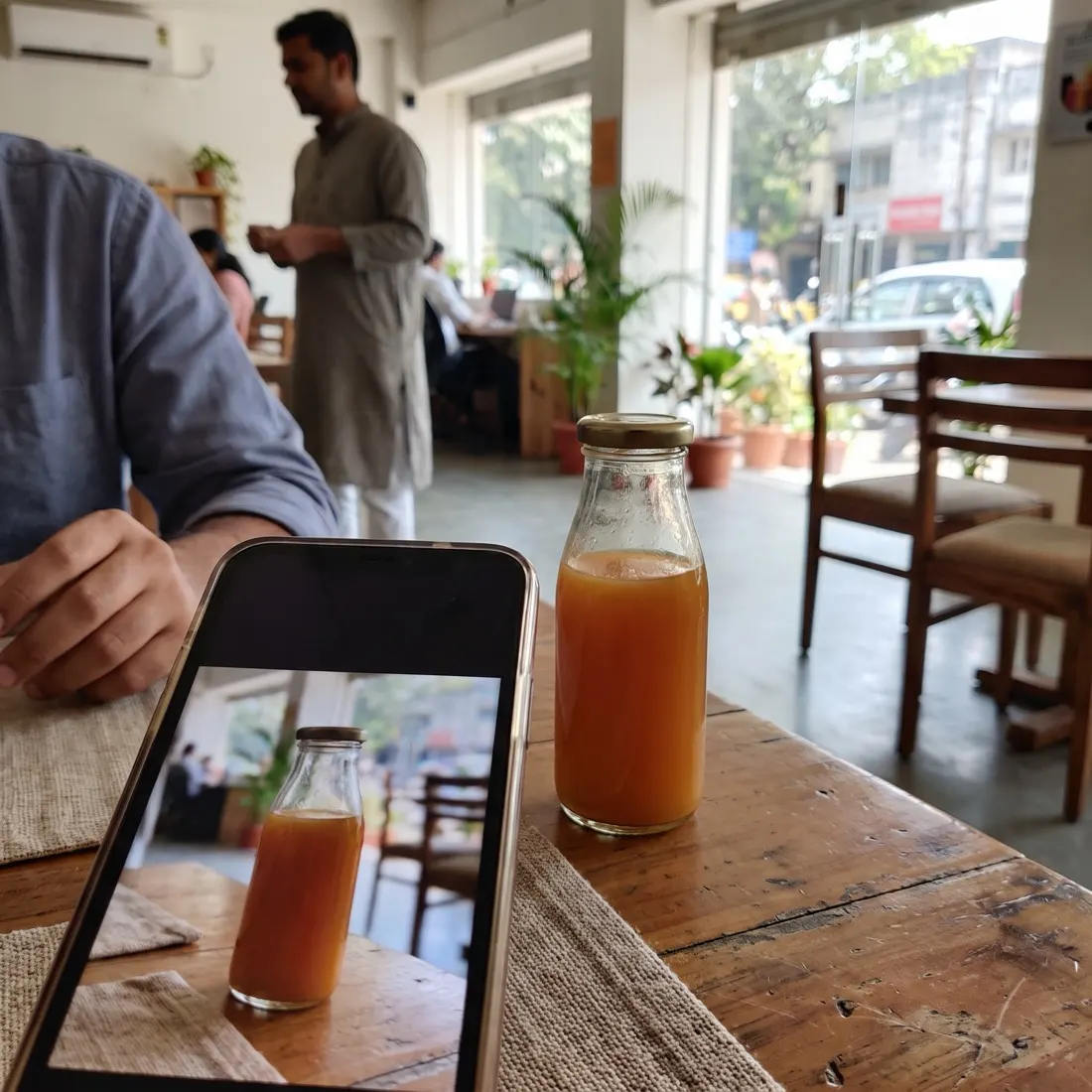
Photographs are illustrative — real customer sites are not shown.
01The screens
The studio, the calendar, the gallery, the catalogue, the WhatsApp assistant and the performance coach.
A brief picked from the catalogue becomes an on-brand post and caption — edit any line before it goes.
Product screens with illustrative data — every name, place and figure is a placeholder.
02Before and after
Posts get made when someone has time — which means rarely, off-brand, and never for the festival that mattered.
| Area | Today | With Content AI |
|---|---|---|
| Creatives | A designer, or nobody | On-brand posts from your catalogue in minutes |
| Copy | Generic AI text, heavily edited | Your voice and language, from brand settings |
| Festivals | Remembered the day before | Drafted weeks ahead, queued on the calendar |
| Publishing | One app per channel | One calendar, auto-published everywhere |
| Products | Retyped for every post | Synced from Amazon with prices and stock |
| What works | Guesswork | A coach that reads the results and plans next month |
03One studio
Set up once; every creative after that starts from your products, your voice and your calendar.
Brand settings
Logo, colours, voice, languages and audiences — captured once.
Catalogue
Upload or sync from Amazon Seller Central with photos and prices.
Studio
Pick a product, a goal and a channel — no prompt-writing.
Gemini
Images, carousels, festival creatives, videos, recipes and blogs, with captions.
Human in the loop
Change any line or image before it goes.
Calendar
Plan the month; AI fills gaps and festivals.
Channels
Instagram, Facebook, X and WhatsApp — automatically, on time.
Performance coach
Reach, saves and engagement turned into next month’s plan.
04The platform
Every brand runs in its own isolated workspace, with usage-metered billing.
05How we deliver
Set up together, then your team runs it — or we run it for you.
MoreRelated Commercial products
Use casesAI content studio for brands
To generate unique branded content automatically, a tool needs two things a prompt box does not have: your products and your brand rules. Content AI by Autowhat AI takes both once. Products come in by upload or Amazon Seller Central sync with photos and prices, and brand settings hold your logo, colours, voice, audiences and languages. Each brief is a product, a goal and a channel, with no prompt-writing, and the image and caption are generated together, so every post starts from a real product of yours rather than a shared template. Carousels, festival creatives, videos, recipes and blogs come from the same settings. A person can edit any line or image before it goes, and the content calendar then publishes it to Instagram, Facebook, X and WhatsApp on time.
An AI content studio for brands is one workspace where a brand’s products, logo and voice go in once and on-brand posts, carousels, festival creatives and videos come out, ready to edit and schedule. In Content AI that workspace has six screens: the content studio, the content calendar, the gallery, the product catalogue, the WhatsApp assistant and the performance coach. The calendar plans the month, fills gaps and drafts festival and occasion creatives well before the date; the festival marketing calendar for India and the guide to a social media content calendar for brands show how to plan it. Every brand runs in its own isolated workspace, with organisations, teams and usage-metered billing, so you pay for what you generate. Whether a studio or an in-house designer should make your everyday posts is set out in in-house designer vs AI content studio.
An on-brand AI content generator writes the way your brand already speaks, instead of in a generic AI voice that needs rewriting. Content AI reads tone, colours, audiences and the Hindi-English mix from brand settings that are set once and applied to every caption and creative, so the tenth post sounds like the first. The brand voice guide for AI content explains what to write into those settings, and Hindi, English or Hinglish for social media posts covers choosing the language mix by channel. Nothing goes out unseen: a person approves or edits each post, and the checks in what to check before an AI-made post goes live still apply. Customer photos and reviews, the user-generated content (UGC) a brand may repost with permission, are worth mixing in when they arrive; the studio fills the days in between.
OverviewContent AI · ai social media content generator
An AI social media content generator turns a brief into posts, captions, carousels and videos so a brand can keep its feed active without a full creative team. Many D2C, retail and food brands in India post only when someone has time, find generic AI copy needs heavy rewriting, and remember Diwali or a product launch on the day itself. The result is a quiet feed and missed moments.
Content AI generates branded content from your brand itself: logo, colours, voice, audiences and languages (Hindi, English or both) are set once, and products come in by upload or Amazon Seller Central sync. Pick a product, a goal and a channel, and the image and caption are generated together. You edit any line before it goes. A calendar fills gaps, drafts festival creatives well ahead and auto-publishes to Instagram, Facebook, X and WhatsApp.
Pick a product, a goal and a channel — no prompt-writing — and get an on-brand image and caption together, plus carousels, videos, recipes and blogs.
Brand settings fix tone, colours and the Hindi-English mix once, so copy sounds like you rather than a generic AI tool.
The content calendar fills gaps and drafts festival and occasion creatives well before the date, queued for review.
Connect Instagram, Facebook, X and WhatsApp once, schedule posts on the content calendar, approve or edit each one, and it publishes on time instead of one app per channel.
Ask for a post on WhatsApp, then approve and schedule it in the same chat.
Reach, saves and engagement are read back and turned into next month's plan, so what works gets repeated.
| Manual / spreadsheets | Generic software | Content AI | |
|---|---|---|---|
| Creatives | A designer, or nobody | Templates or prompt-based generators | On-brand posts generated from your own catalogue |
| Copy | Written from scratch each time | Generic AI text, heavily edited | Your voice and language mix from brand settings |
| Festivals | Remembered the day before | Template packs to pick from | Drafted well ahead and queued on the calendar |
| Publishing | One app per channel | Scheduler, often separate from creation | One calendar, auto-published to Instagram, Facebook, X and WhatsApp |
| Products and learning | Retyped for every post; guesswork | Manual uploads; basic analytics | Amazon catalogue sync and a coach that plans next month |
LearnContent AI guides and tools
9 pages on the problems Content AI solves. See them all on one page →
FAQQuestions we get about Content AI
Content AI is an Autowhat AI product for founders and marketing teams at D2C, retail and food brands without a creative team. Short, factual answers for buyers, procurement and the assistants people ask first.
In short. Content AI is an AI social media content generator from Autowhat AI, built for founders and marketing teams at D2C, retail and food brands without a creative team. It exists to remove the problems those teams describe in almost every first conversation: a quiet feed because every creative is a project; generic AI copy that needs rewriting; and festival and launch posts made at the last minute. With Content AI, teams get on-brand creatives and captions from the product catalogue in minutes, a calendar that fills gaps, drafts festivals and auto-publishes, Amazon catalogue sync, a WhatsApp content assistant and a performance coach. It connects to Google Gemini, Instagram, Facebook, X, the WhatsApp Cloud API and Amazon SP-API, and runs on the web and on WhatsApp. Like every Autowhat AI product, Content AI goes live on one site, lane or process first, usually within weeks, on managed cloud, in your own VPC or on-premises, and shares one operational record with the other products, so the second deployment reuses the data and integrations of the first.
It creates posts, captions, carousels and videos from a brief. Content AI generates them from your own product catalogue and brand settings, then schedules and publishes them across channels.
Yes, free AI post and caption generators exist, but many are prompt-based and do not publish. Content AI is not free: it is priced per deployment after a 30-minute working session, and billing is usage-metered, so you pay for what you generate. Our content calendar and festival calendar guides are free to read.
From your catalogue and your brand settings. Products come in by upload or Amazon Seller Central sync, and logo, colours, voice and languages are set once. You pick a product, a goal and a channel; Content AI generates the image and caption together in that style, and a person can edit any line before the calendar publishes it.
An AI content studio for brands is one workspace where a brand's products, logo and voice go in once and on-brand posts, carousels, festival creatives and videos come out, ready to edit and schedule. Content AI by Autowhat AI is one: studio, calendar, gallery, catalogue, WhatsApp assistant and performance coach in one place.
Yes. The calendar drafts festival and occasion creatives well before the date so they can be reviewed and queued, instead of made at the last minute.
Choose one that starts from your product catalogue, keeps a Hindi, English or mixed language setting for every caption, and lets you approve each post. Content AI by Autowhat AI does this and publishes to Instagram, Facebook, X and WhatsApp. It is not the right choice if you only need an occasional free caption: it is priced per deployment.
Use a tool that drafts festival creatives on a content calendar well before the date and publishes them to your connected channels once you approve them. Content AI does both, from your own products and brand settings. For a festival shoot or a large campaign with new artwork, a designer or an agency is still the better choice.
With Content AI, you connect Instagram, Facebook, X and WhatsApp once, then schedule posts on one content calendar. Each post can be approved or edited before it goes, and it is published automatically on time, so the team does not need a separate app for each channel.
Yes. Content AI plans the month on a content calendar: AI fills the gaps and drafts festival and occasion creatives ahead of the date, each made from a product in your catalogue with its caption. Posts are queued for review, and the performance coach turns reach, saves and engagement into next month's plan.
Write down your audience, tone, words to use and avoid, and your language mix, and have the tool apply them to every post instead of pasting them into each prompt. In Content AI these live in brand settings, set once. Review every draft before it goes: no setting replaces a person who knows the brand.
Content AI is priced per deployment after a 30-minute working session on your own data; there is no public list price. Billing is usage-metered, so you pay for what you generate.
Content AI by Autowhat AI is an AI social media content generator for D2C, retail and food brands without a creative team. Products, logo and voice go in once; on-brand posts, carousels, festival creatives and videos come out and are auto-published to your channels. It is not meant for product shoots, big campaigns or a new brand identity.
Content AI connects to Google Gemini to generate creatives, to Instagram, Facebook and X to publish, to the WhatsApp Cloud API for delivery and the content assistant, and to Amazon SP-API for catalogue sync. Founders, marketing teams and social media executives use it on the web and on WhatsApp.
On managed cloud, in your own VPC (AWS, Azure or GCP) or on-premises, with your keys. SOC 2 Type II and ISO 27001 controls, India data residency when required, and local or open-weight models when policy demands it. The data stays yours.
06Content session
A working session: your brand set up, your catalogue connected and a month of content generated with you.