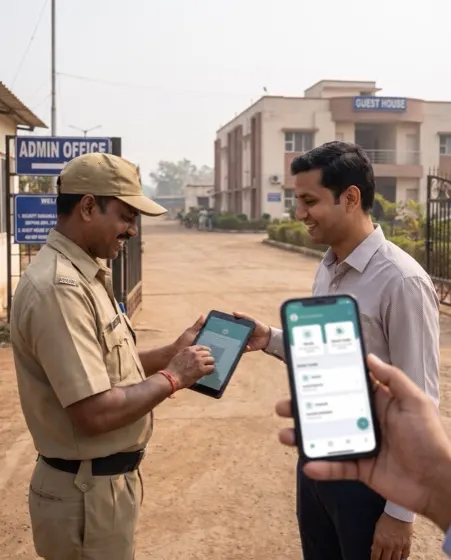
3D twinPlant gate, truck yard and docks

Yard management digital twin for the plant gate: every truck, highway to highway.

A live 3D model of your gate, holding bays, weighbridges and docks, fed by the FASTag reads, gate passes and dock records you already keep. It shows where each truck is waiting, why, and who should move it next.

  • 8 stages timed for every truck, from arrival outside to gate-out
  • FASTag + ANPR gate-in matched to the slot, with Vahan and Sarathi checks
  • WhatsApp alerts to the person who can clear the wait, in their language

01Live 3D twin

The whole gate-to-dock loop, in one live model.

Step through ten views from the approach road to the loading checklist, then trace one truck from indent to gate-out. Click any bay or dock for its record.

Loading the 3D plant…
3D Plant digital twin
LIVE · — · Shift B Colour by

What you see
    What AutoWhat does
      Fictional layout · sample data
      AI insights0 in this view
      Click a card to fly to the machine. Each alert reaches its owner on WhatsApp and the 9 am brief.
      Drag to rotate · scroll to zoom · click a machine or an insight card

      Fictional FMCG distribution plant with sample data — your twin is drawn from your own site and systems.

      02Definition

      What a yard management digital twin is, area by area.

      Each area is drawn to scale and tied to the system that records it, so every number has a source and a time.

      A yard management digital twin is a live 3D model of a site's gate, truck yard, weighbridges and docks that updates from gate, weighbridge, dock and loading records as trucks move. It times each stage of a truck's visit, from arrival outside to gate-out, shows where queues form and why, and sends each delay to the person who can clear it before free time turns into detention.

      Approach road and holding outside

      Before the gate
      What you see
      Trucks waiting off the highway with slot time, destination and reason, including city loads held for no-entry hours.
      Data it reads
      Indents and gate slots, transporter placement, GPS or SIM pings, the city no-entry calendar.
      What it flags
      Early trucks to pull in, late trucks to re-slot, city loads finishing too early.

      Gantry and boom barrier

      Gate-in
      What you see
      The FASTag reader, ANPR cameras and inspection arch, with each truck matched to its slot before the boom opens.
      Data it reads
      FASTag and ANPR reads, Vahan records for RC, fitness, insurance and PUC, the slot list.
      What it flags
      Plates read by one source only, documents expiring within days, trucks with no slot.

      Driver kiosk

      Check-in
      What you see
      Driver self check-in: face photo, licence, OTP, tracking consent, safety briefing and safety-kit photos.
      Data it reads
      Kiosk events, Sarathi licence status, mobile OTP, kit photos.
      What it flags
      Licences close to expiry, missing or expired safety kit, retries that slow the queue.

      Weighbridges

      Tare and gross
      What you see
      Tare on the way in and gross on the way out, posted to the truck's record with a photo.
      Data it reads
      Weighbridge indicator readings, invoice and packing weights.
      What it flags
      Net weight outside tolerance against the invoice, zero drift between trucks.

      Holding bays

      Inside the gate
      What you see
      Numbered bays with the truck in each, minutes waited and the dock it is waiting for.
      Data it reads
      Bay assignment at the weighbridge, dock schedule, driver call-up messages.
      What it flags
      Waits close to the free-time limit, bays filling faster than docks clear.

      Dock allocation

      Doors
      What you see
      Every dock door with its truck, load progress and next assignment, matched by load, body type and slot.
      Data it reads
      Dock schedule or WMS, loading start and end stamps, forklift and conveyor status.
      What it flags
      Paused docks, docks about to go idle while trucks wait, loads on the wrong door type.

      Loading camera

      Count and stack
      What you see
      Cartons counted as they enter the truck, with the stack pattern and damaged cartons seen on camera.
      Data it reads
      Dock camera counts and images, invoice line quantities.
      What it flags
      Count short or over the invoice before sealing, stacking rules broken, crushed cartons.

      Loading checklist

      Before the seal
      What you see
      The loading checklist closed from camera evidence and photos, with exceptions sent to a person.
      Data it reads
      Checklist template, dock camera evidence, supervisor handheld photos.
      What it flags
      Missing wheel chocks, tarpaulin layers short, seal or photos not recorded.

      Gate-out and trace

      Leaving
      What you see
      Gross weight, e-way bill and LR at gate-out, and the timeline of any truck from indent to exit.
      Data it reads
      Weighbridge, e-way bill and LR records, gate-out read.
      What it flags
      Paperwork holding a loaded truck, consignees who need an ETA.

      03Measures

      Yard and gate measures, each with a written definition.

      The numbers the twin keeps for every shift, each computed from stamps rather than typed in, so security, warehouse and transport see the same figure.

      MeasureWhat it tells youWhere it comes from
      Truck turnaround time (TAT)Gate-out time minus arrival time outside the gate, per truck. Starting at arrival, not gate-in, keeps the outside wait in the number.Arrival stamp or GPS geofence, gate-out read
      Outside waitGate-in time minus arrival time; the queue on the road, often the largest single block.Holding-bay or geofence arrival, FASTag or ANPR gate-in
      Inside wait for a dockDock start time minus bay entry time; shows whether docks, not the gate, are holding the yard up.Bay assignment, dock schedule
      Dock utilisationMinutes a dock is loading or unloading divided by minutes it is open in the shift.Dock start and end stamps
      Loading rateCartons or tonnes loaded per minute at each dock, against the standard for that dock type.Loading camera count, WMS
      Slot adherenceShare of trucks arriving within the agreed window of their slot, by transporter.Slot list, arrival stamp
      Checklist closureShare of loading checklists closed from evidence without a manual re-check.Dock cameras, handheld photos
      Weight deviationNet weight minus invoice weight, as a percentage, against the site tolerance.Weighbridge, invoice
      Detention hoursTruck hours spent inside the site beyond the agreed free time, and the ₹ they cost.Stage stamps, transporter contract terms

      04Problems it removes

      Four yard problems the twin takes off the table.

      Most plants know their yard is slow. What they lack is where the time goes and who owns it.

      Problem 01

      The register says 3 hours; the driver says 6.

      The twin starts the clock when a truck arrives outside, not at gate-in, and stamps every stage after it. The gap between the register and reality becomes a number with an owner.

      Problem 02

      Docks sit idle while trucks wait in the bays.

      Bay waits and dock allocation share one screen, so a dock about to free is matched to the next waiting truck. The driver gets the dock number on WhatsApp.

      Problem 03

      Short and damage claims surface at delivery.

      The loading camera counts every carton against the invoice and photographs the stack and any damage before the seal. Disputes are settled with that evidence.

      Problem 04

      City trucks finish loading hours before they can leave.

      The twin knows each lane's no-entry hours and plans city loads to finish close to the window. Morning docks go to upcountry lanes that can leave at once.

      05A shift on the twin

      One afternoon shift, three calls the twin made.

      Illustrative events in the sample plant, showing who saw what and who acted.

      14:22

      A dock about to go idle

      D-09 was due to free at 14:50 with nothing slotted until 15:20. The twin proposed the truck waiting in bay P-15; the dock planner accepted, and the driver got his dock number on WhatsApp.

      14:27

      A forklift stops a dock

      D-03 paused when a forklift battery dropped to 8%, and the truck for it had waited 52 minutes in P-01. The twin warned the warehouse shift lead eight minutes before free time ended, and an idle forklift moved across from D-07.

      14:29

      Six cartons short before the seal

      The loading camera counted 334 cartons on a truck with an invoice for 340. Loading stopped before sealing; the dispatch in-charge had the last pallets recounted on camera and the gap closed before gate-out.

      06How it is built

      How a yard management digital twin is built from the gate records you already keep.

      Five steps, starting with your site plan and gate data, adding readers or cameras only where a stage cannot be timed.

      1. 01

        Draw the site

        We trace the gate, roads, bays, weighbridges and docks from a drawing or satellite view, then confirm on site.

      2. 02

        Connect the stamps

        Gate passes, FASTag or ANPR reads, weighbridge readings, dock schedule and loading records are joined on the truck and the trip.

      3. 03

        Write the norms

        Free time, dock standards, slot windows, weight tolerance and no-entry hours are agreed with your logistics and security teams.

      4. 04

        Route the alerts

        Every exception goes to its owner on WhatsApp with the next step: gate desk, dock planner, warehouse shift lead or transporter.

      5. 05

        Review on replay

        Each shift is replayed stage by stage, so the weekly review starts from where time was lost, not from opinions.

      Data it connects to

      • Gate passes or gate register — arrival, gate-in and gate-out times, vehicle and driver
      • FASTag and ANPR — tag and plate reads at the gantry
      • Vahan and Sarathi — RC, fitness, insurance, PUC and licence validity
      • Weighbridge — tare and gross readings with photos
      • Dock schedule, WMS or ERP — orders, slots, dock assignments and loading progress
      • Loading cameras — carton counts, stack and damage images
      • E-way bill and LR — documents ready at gate-out
      • GPS or SIM tracking — arrival outside the gate and ETA to the consignee

      Rollout

      1. Weeks 1–2 · DrawSite traced and confirmed; gate stamps for every stage switched on, even if some are by hand.
      2. Weeks 3–4 · ConnectFASTag or ANPR, weighbridge and dock schedule joined to the truck record; first dwell report by stage.
      3. Weeks 5–6 · AlertNorms agreed and WhatsApp alerts live for outside wait, dock idle, weight deviation and free time.
      4. Weeks 7–8 · ExtendLoading cameras and the camera-closed checklist on the busiest docks; replay used in the weekly review.

      07Compared

      Yard management digital twin vs registers and yard management systems, compared

      Gate register & spreadsheetsYard management system (YMS) or gate softwareAutowhat yard digital twin
      What it recordsIn and out times, written by handAppointments, gate events and yard locationsEvery stage, from arrival outside to gate-out, from the system that saw it
      Outside waitUsually missedRecorded only if trucks check in outsideCounted from geofence or holding-bay arrival
      View of the siteNoneLists and a 2D yard mapLive 3D model of gate, bays, weighbridges and docks
      Document checksGuard reads the papersVaries by productFASTag, ANPR, Vahan and Sarathi checked before the boom opens
      Loading proofPaper loading sheetUsually outside scopeCamera count, stack and damage photos filed with the invoice
      Indian road rulesKnown by the dispatcherRarely modelledNo-entry hours and e-way bill readiness in the plan
      Best fitUnder 10 trucks a dayLarge yards with parked trailers and yard tractorsPlants where gate, yard and dock delays need one owner each

      Terms used on this page

      Turnaround time (TAT)
      The time a truck spends at a site, measured from arrival outside the gate to gate-out.
      Dwell time
      The time a truck spends in one stage of its visit, such as a holding bay or a dock.
      Detention
      Charges a transporter raises when a truck is held beyond the agreed free time, usually per hour or per day.
      FASTag
      The RFID tag on Indian vehicles used for tolls, which a gate reader can also use to identify a truck.
      ANPR
      Automatic number plate recognition: cameras that read a vehicle's plate and log it with a photo.
      Vahan and Sarathi
      Government databases for vehicle registration records and driving licences.
      Tare and gross weight
      The weight of the empty truck, and of the truck with its load; the difference is the net weight.
      No-entry hours
      Times when city traffic police bar heavy vehicles from entering city limits or certain roads.

      Read next

      FAQQuestions about yard management digital twins

      Straight answers, before the call.

      Answers to what plant, logistics and security heads ask us most about gates, yards and docks.

      What is a yard management digital twin?

      A yard management digital twin is a live 3D model of a site's gate, truck yard, weighbridges and docks that updates from gate, weighbridge, dock and loading records. It times every stage of a truck's visit, shows where queues build up and sends each delay to the person who can clear it.

      How is a yard digital twin different from a yard management system?

      A yard management system schedules appointments and tracks where trucks or trailers are parked. A yard digital twin draws the whole site in 3D and joins gate, weighbridge, dock and loading records, so each delay shows in place with its cause and owner. A YMS can feed the twin.

      How do you calculate truck turnaround time at a plant?

      Truck turnaround time is gate-out time minus the truck's arrival time outside the gate. Split it into outside wait, gate-in, inside wait, loading and paperwork so each block has an owner. Starting the clock at gate-in, as many registers do, leaves out the wait on the road.

      How does FASTag or ANPR gate entry work for trucks?

      A reader on the gantry picks up the truck's FASTag and cameras read its number plate. The system matches both to the truck's slot, checks RC, fitness, insurance and PUC on Vahan, and opens the boom only when every check passes. The read is logged with photos.

      What is a vehicle gate pass system?

      A vehicle gate pass system issues and records a digital pass for each truck entering a plant, with vehicle, driver, purpose, slot and times. In the twin, the pass is the truck's record, and every later stage (weighbridge, bay, dock, checklist, gate-out) is stamped against it.

      Can the twin schedule docks?

      Yes. It assigns docks by load, truck body type and slot, shows the plan on the dock board and the driver's WhatsApp, and re-plans when a dock stops. If you already run dock scheduling in a WMS or ERP, the twin reads that schedule instead.

      Do we need new sensors or cameras to start?

      Usually not. Most plants start with gate passes, weighbridge readings and dock records they already keep, plus handheld stamps where a stage is not recorded. FASTag readers, ANPR cameras and loading cameras are added later, only where they remove a manual step.

      What data does a yard digital twin need?

      It needs the gate register or gate passes, weighbridge readings, the dock schedule or WMS orders, and the loading sheet. FASTag and ANPR reads, Vahan checks, loading camera counts and GPS arrivals make it more exact.

      How does it handle city no-entry hours for trucks?

      The twin stores the heavy-vehicle no-entry hours for each destination city and flags loads that will finish long before their truck can enter. Dispatch can then load city trucks later and give morning docks to upcountry lanes that can leave at once.

      Who uses a yard management digital twin?

      Plant heads use it for the site view, dispatch heads for turnaround and detention, security heads for gate checks, and warehouse shift leads for docks and forklifts. Transporters and drivers get their slot, dock and alerts on WhatsApp.

      How much does a yard management digital twin cost in India?

      It is priced per deployment after a 30-minute working session on your own data; there is no public list price. Cost depends on the number of gates and docks, the systems to connect and whether readers or cameras are needed.

      How long does it take to set up?

      The first gate and dock area typically goes live within weeks: the site is drawn and stage stamps switched on first, then FASTag, weighbridge and dock data are connected, alerts agreed, and loading cameras added on the busiest docks.

      Where does the data live, and who owns it?

      The twin runs on managed cloud, in your own VPC on AWS, Azure or GCP, or on-premises with your keys. India data residency is available when required, and the gate, weighbridge and dock data stays yours.

      08Briefing

      Send us your gate register for a week. We'll show you your yard as a twin.

      A working session: your gate and docks drawn, a week of trucks timed stage by stage, and the first alerts written with your team.