OperationsXforce · WhatsApp attendance, payroll and tasks

WhatsApp attendance bot for multi-site teams Your whole workforce, in one WhatsApp chat.

Xforce is a WhatsApp attendance bot by Autowhat AI for multi-site teams: selfie and geofence attendance, one-tap leave, tasks with proof and payroll from the hours actually worked, on the WhatsApp your staff already use. Nothing to install.

  • 0 apps for staff to install
  • Selfie + geofence check-in
  • 1 click payroll from tracked hours
  • EN · HI · MR
DashboardPayrollWhatsApp
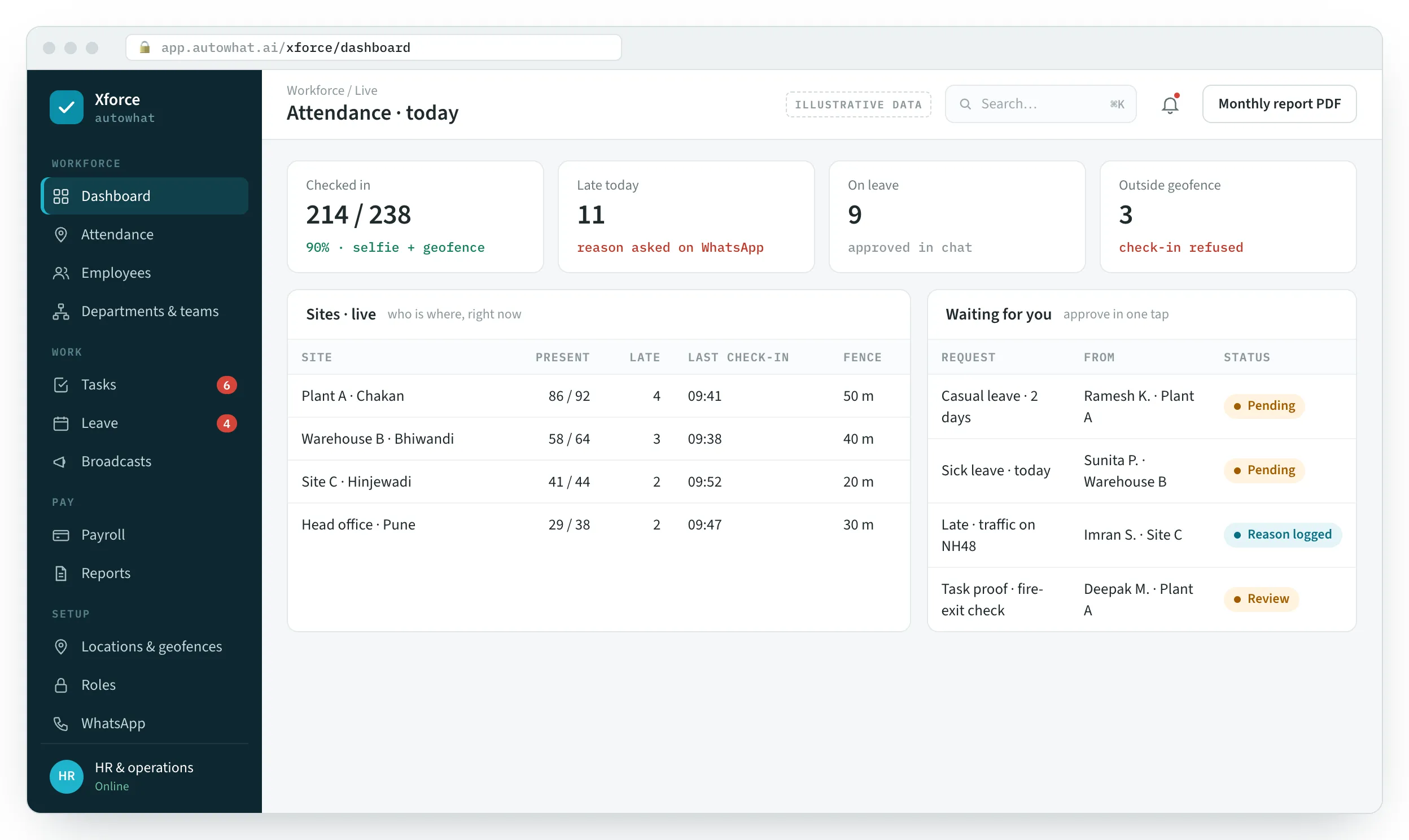
Xforce: live attendance by site, late arrivals with reasons, leave and task approvals waiting.
Product screen with illustrative data.

WhySound familiar?

Three things we hear in every first conversation.

From owners, HR heads and site managers running plants, warehouses, security and field teams. Composite quotes — the problems are real; the names are left out.

Xforce: attendance registers and payroll sheets, before Xforce
Month-end, with the registers
  1. “My supervisor says everyone showed up. I’m two hours away — I just take his word for it.”

    Attendance is a register, a phone call or a biometric machine that breaks. Someone marks it for a cousin who never came.

    Owner · multi-siteAttendance nobody can verify

  2. “Every month-end I lose three days to a spreadsheet.”

    Late marks, half days, leave and overtime worked out by hand — and the payslip questions arrive on WhatsApp anyway.

    HR head3 days of payroll every month

  3. “I tell someone to do something, and by lunch it’s like I never said it.”

    Instructions by voice, leave by phone call, and no proof that a job was actually finished.

    Site managerTasks and leave lost in calls

HowWhat changes with Xforce

The same three problems, on the screens that solve them.

Product screens with illustrative data. In a walkthrough we set up one of your sites and check you in from your own phone.

01Attendance nobody can verify

Check-in with a live selfie, inside the site’s geofence.

  • Live GPS location must be inside the radius set for that site; outside, the check-in is refused
  • Late or early? The bot asks for the reason and logs it

Proof of presence, not a signature

Xforce screen: Check-in with a live selfie, inside the site’s geofence.

023 days of payroll

Payroll in one click, from the hours actually worked.

  • Check-ins, check-outs, late marks, half days and leave feed the salary sheet
  • Payslips land in every employee’s chat as a PDF

Month-end in minutes

Xforce screen: Payroll in one click, from the hours actually worked.

03Tasks and leave lost in calls

Tasks and leave as tracked tickets in the chat.

  • Type a task in plain language; it gets an owner, a due date and reminders
  • Photo or file proof to approve; leave approved with one tap

Nothing said is forgotten

Xforce screen: Tasks and leave as tracked tickets in the chat.

FieldXforce in the field

The people, the phone, the place.

The site it runs on, the person who checks in on a phone, the team that runs payroll and the detail it reads.

Xforce: Where Xforce runs
Where Xforce runs
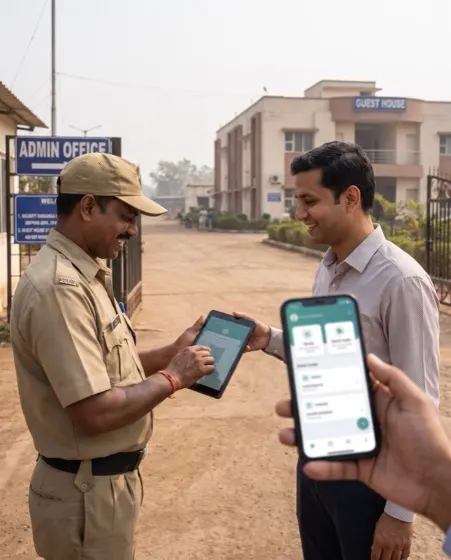
Xforce: On the phone, where the work happens
On the phone, where the work happens
Xforce: The team at the Xforce desk
The team at the Xforce desk
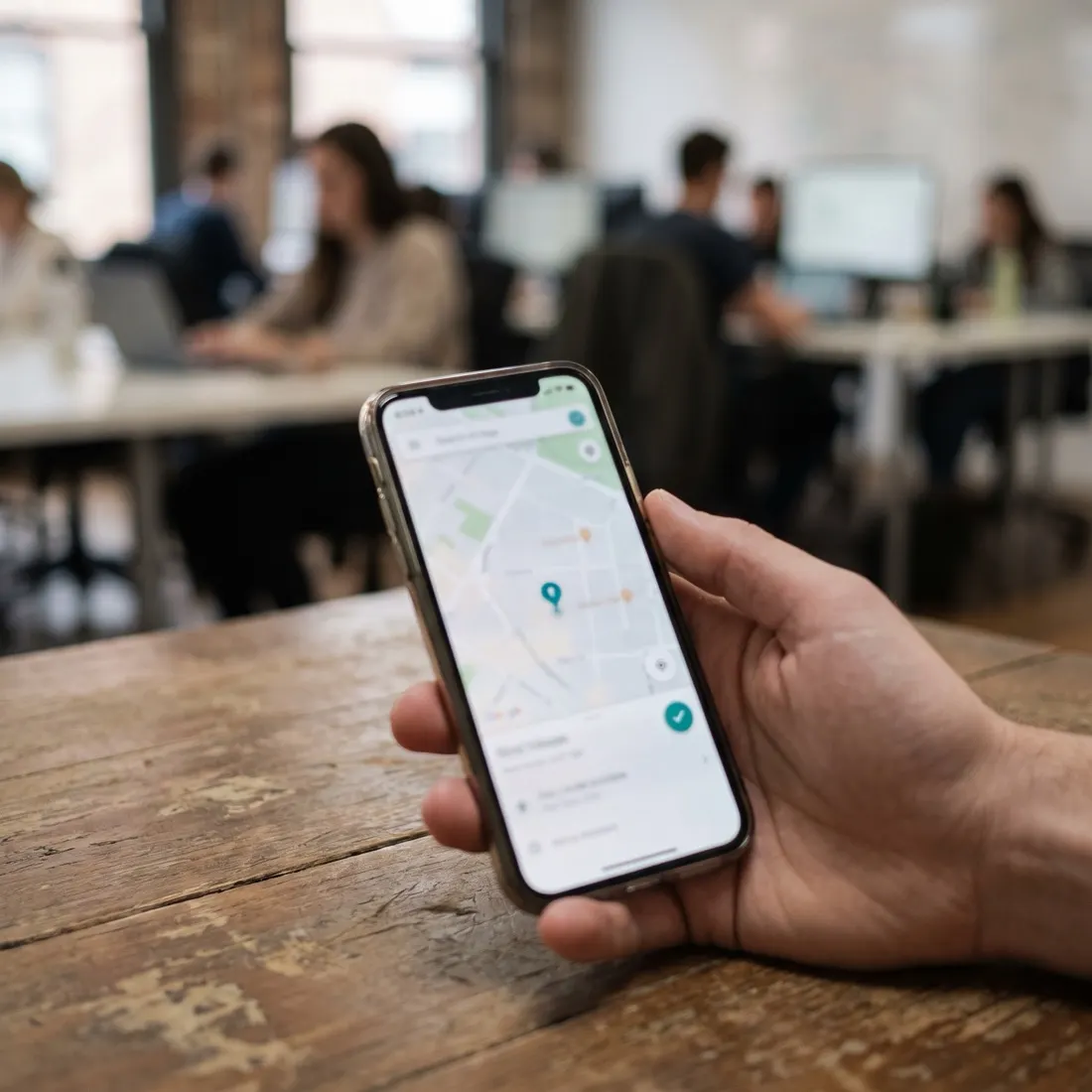
Xforce: The detail Xforce reads: a location inside the geofence
The detail Xforce reads: a location inside the geofence

Photographs are illustrative — real customer sites are not shown.

  • 0Apps to installit runs on WhatsApp
  • 1 clickPayrollfrom verified check-ins and leave
  • GeofencePer siteradius you set, e.g. 20–50 m
  • SelfieEvery check-inlive photo, not a signature
  • 1Chat threadattendance, leave, tasks, payslips
  • 3LanguagesEnglish, Hindi, Marathi

01The screens

From a selfie at the gate to a payslip on WhatsApp.

The live dashboard, payroll, tasks and the employee’s side on WhatsApp.

autowhat · Xforce / Attendance today Illustrative data
Xforce screen

Who has checked in, at which site, who is late and why, and requests waiting for approval.

Product screens with illustrative data — every name, place and figure is a placeholder.

02Before and after

Registers, calls and spreadsheets, replaced by one chat.

Staff keep using WhatsApp. The owner gets proof, the HR team gets its month-end back.

AreaTodayWith Xforce
Getting startedDownload an app, create an account, forget the passwordSay “Hi” on WhatsApp
TrainingTeach dozens of people new HR softwareIf they can chat, they can use it
AttendanceA biometric machine per site, or a registerGPS inside the geofence and a live selfie
LeaveCalls, texts and three WhatsApp groupsOne thread with Approve and Reject buttons
PayrollThree days in a spreadsheetOne click from tracked hours; payslips in chat
LanguageEnglish-only softwareHindi, Marathi or English, whichever the employee uses

03One check-in

Six steps, from “check in” to payroll.

The employee sends two things. Everything else is checked, recorded and carried forward automatically.

  1. 01

    Message

    WhatsApp Cloud API

    The employee writes “check in”, in any language they like.

  2. 02

    Understand

    Intent routing

    The bot recognises attendance, leave, a task or a question, without slash commands.

  3. 03

    Locate

    Geofence

    Live location is checked against the radius set for that employee’s sites.

  4. 04

    Verify

    Live selfie

    A live photo confirms the person is physically present.

  5. 05

    Record

    Time & reason

    Time logged; if late or early, the reason is asked for and saved.

  6. 06

    Carry forward

    Reports & payroll

    Hours flow into PDF reports and the month’s payroll automatically.

04The platform

Attendance, people, work and pay, on one record.

WhatsApp for every employee; a web portal for the employer, heads of department, team leads and HR.

Attendance · 5

  • Selfie check-in and check-out
  • Geofence radius per site
  • Several sites per employee
  • Late and early reasons
  • Hours worked on request

People · 5

  • Departments, teams, HODs, team leads
  • Add staff by contact card, chat or form
  • Automatic welcome guide
  • Employee records and documents
  • Role-based access

Work · 5

  • Tasks in plain language
  • Smart reminders
  • Photo or file proof, approved
  • Broadcasts by department
  • Chat with SOPs and documents

Leave & pay · 5

  • Leave applications in WhatsApp
  • One-tap approvals
  • Your leave policy, enforced
  • One-click payroll
  • Payslips and PDF reports in chat

05How we deliver

One site first, on your own WhatsApp number.

We set up your structure and sites, connect the WhatsApp Business number and walk your supervisors through it.

  1. Set upDepartments, teams, sites and geofence radius; your leave policy and shifts.
  2. Go liveStaff added by contact card; everyone gets the welcome guide and checks in.
  3. First month-endPayroll generated from tracked hours; payslips sent on WhatsApp.
  4. Then · ExtendEvery site, tasks with proof, broadcasts and your SOPs in the chat.

OverviewXforce · WhatsApp attendance bot

WhatsApp attendance bot: how check-in to payroll works

Xforce is a WhatsApp attendance bot by Autowhat AI for multi-site teams: employees mark attendance by messaging a business WhatsApp number instead of using a register, a biometric machine or a separate HR app. For Indian businesses with staff spread across plants, warehouses, security posts and field routes, it removes the usual problems: registers marked by a supervisor for someone who never came, machines that break, apps nobody installs, and three days of month-end payroll worked out by hand.

It runs on the WhatsApp your staff already use. An employee writes 'check in', sends live location and a live selfie; Xforce checks the location is inside the radius set for that site, which can be one of several sites linked to that employee, and refuses it if not, logs the time, and asks for a reason when someone is late or leaves early. Leave, tasks with photo proof and payslips run in the same chat, in English, Hindi or Marathi, and payroll is generated in one click from the hours tracked.

Geofence attendance with a radius per site

Live GPS location must fall inside the radius you set for each site, for example 20–50 m; check-ins outside it are refused. An employee can be linked to several sites.

Selfie attendance on WhatsApp, no app to install

Every check-in carries a live photo, so presence is proved rather than signed for. New staff are added by contact card, chat or form and get a welcome guide.

Late and early reasons recorded automatically

When an employee is late or leaves early, the bot asks for the reason and saves it with the time, so late marks are settled from the record.

Leave management on WhatsApp with one-tap approval

Employees apply in an interactive WhatsApp flow; the employer, head of department or team lead gets Approve and Reject buttons, and your leave policy is enforced.

Payroll from attendance in one click

Check-ins, check-outs, late marks, half days and leave feed the salary sheet, and payslips go to each employee's chat as a PDF.

Task management on WhatsApp for site teams

Tasks typed in plain language get an owner, a due date and reminders; completion needs photo or file proof, approved in the chat.

Who it is for

  • Owners of multi-site businesses such as plants, warehouses and security services who cannot verify attendance from a distance.
  • HR heads who spend days each month turning registers and leave messages into payroll.
  • Site managers and field team leads who give instructions by voice and need proof that work was done.

Read next

Xforce compared

Manual / spreadsheetsGeneric softwareXforce
Getting startedPaper register at each siteDownload an app, create an account, remember a passwordSay 'Hi' on WhatsApp
Proof of attendanceSignature or a supervisor's wordBiometric machine per siteLive selfie and GPS inside the site's geofence
LeaveCalls and texts to the managerSeparate HR portal staff rarely openOne WhatsApp thread with Approve and Reject buttons
PayrollDays in a spreadsheet each monthAttendance exported, then calculatedOne click from tracked hours; payslips in chat
LanguageWhatever the register usesOften English-onlyEnglish, Hindi or Marathi, as each employee prefers

FAQQuestions we get about Xforce

Straight answers, before the call.

Xforce is workforce management on WhatsApp. Short, factual answers for owners, HR and the assistants people ask first.

In short. Xforce is a WhatsApp attendance, leave, task and payroll system for businesses with staff on sites, plants, warehouses and in the field. Employees check in with a live selfie and a GPS location inside the site’s geofence, apply for leave, receive tasks and payslips, and ask questions of company SOPs — all in WhatsApp, in English, Hindi or Marathi, with nothing to install. Employers, heads of department and team leads approve leave and task proof with one tap, and HR generates payroll in one click from the hours actually tracked, with PDF reports in the chat and a web portal for the whole organisation.

What is a WhatsApp attendance bot?

It is a bot on a business WhatsApp number that records employee check-ins and check-outs from chat messages. Xforce checks a live selfie and a GPS location inside the site's geofence, and also handles leave, tasks and payslips in the same chat.

What does geofencing attendance mean?

Geofencing attendance means a check-in counts only when the employee's phone is inside a radius set around the work site (in Hindi, जियोफेंसिंग अटेंडेंस: साइट की सीमा के अंदर से ही हाज़िरी). In Xforce the employee sends a live location and a live selfie on WhatsApp; inside the radius the time is recorded, outside it the check-in is refused.

Do employees need to install an app for attendance?

No. Xforce runs on WhatsApp, which employees already use. Staff are added by contact card, chat or a short WhatsApp form and receive a welcome message explaining how to check in.

WhatsApp attendance vs biometric machine: which is better for multi-site teams?

A biometric machine needs hardware at every site and works only at that spot. A WhatsApp attendance bot uses each employee's phone with a geofence per site and a live selfie, and feeds one record and payroll across all sites.

Can a WhatsApp attendance bot stop proxy attendance?

Xforce requires a live selfie and a live GPS location inside the site's geofence for every check-in, so a colleague cannot mark attendance for someone who is not there. Check-ins outside the radius are refused.

Can I take attendance in a WhatsApp group?

Yes, but only for a small team. In a WhatsApp group people type “present”, vote in a daily poll or share their location, so there is no proof anyone was at the site, everyone sees everyone’s messages and someone has to copy it into a sheet daily. A WhatsApp attendance bot keeps the chat habit and verifies each check-in privately.

How does a WhatsApp attendance bot handle late marks?

When an employee checks in late or leaves early, Xforce asks for the reason in the chat and saves it with the time. Late arrivals, early departures and half days then feed payroll along with check-ins, check-outs and leave, so late marks are settled from the record instead of from memory.

Can I get an attendance sheet from a WhatsApp attendance bot?

Yes. Employees check in on WhatsApp, and managers and HR see the record in a web portal where they run departments, payroll and reports. Nobody copies chat messages into a sheet: verified check-ins, check-outs, late marks and leave become the salary sheet, and payslips reach each employee's chat as a PDF.

How much does a WhatsApp attendance bot cost?

There is no public list price: Xforce is priced per deployment after a 30-minute working session on your sites and teams. Because staff check in on the WhatsApp they already use, there is no app to roll out and no biometric machine to buy and maintain at each site, so the cost follows your sites and teams rather than hardware.

Is there a free WhatsApp attendance bot?

Xforce is not free: it is priced per deployment after a 30-minute working session on your sites and teams, and there is no public list price. The free route is a WhatsApp group with typed messages or polls, which works for a few people but gives no proof of presence and leaves the register to be compiled by hand.

What is Xforce?

Xforce is a WhatsApp attendance bot and workforce management system by Autowhat AI. Employees check in with a live selfie and GPS location inside a geofence, apply for leave, receive and complete tasks and get payslips, all in a WhatsApp chat; managers and HR run departments, payroll and reports from a web portal.

How does attendance on WhatsApp work?

The employee sends their live location and a live selfie in the chat. Xforce checks that the location is inside the radius set for that site, records the time, and asks for a reason if the employee is late or leaves early. Check-ins outside the geofence are refused.

How is payroll calculated?

From the hours actually tracked: verified check-ins and check-outs, late arrivals, early departures, half days and leave. Payroll is generated in one click and payslips are delivered to each employee’s chat as PDFs. To check one person’s figure by hand, use the attendance salary calculator.

Can employees apply for leave on WhatsApp?

Yes. They apply in an interactive WhatsApp flow; their employer, head of department or team lead gets the request with Approve and Reject buttons. The leave policy you configure is enforced automatically.

Which languages does Xforce support?

English, Hindi and Marathi. The bot replies in the language each employee is comfortable with.

Who can see what?

Access is role-based: employer, head of department, team lead and employee each see only their scope. Employees use WhatsApp only; team leads see only their own team.

06Walkthrough

Bring one site and one team. We’ll have them checking in on WhatsApp.

A working session: your site’s geofence set, a check-in from your own phone, and the first payroll explained.